Your calls.Recordedyour way.Record calls with your own headphones.
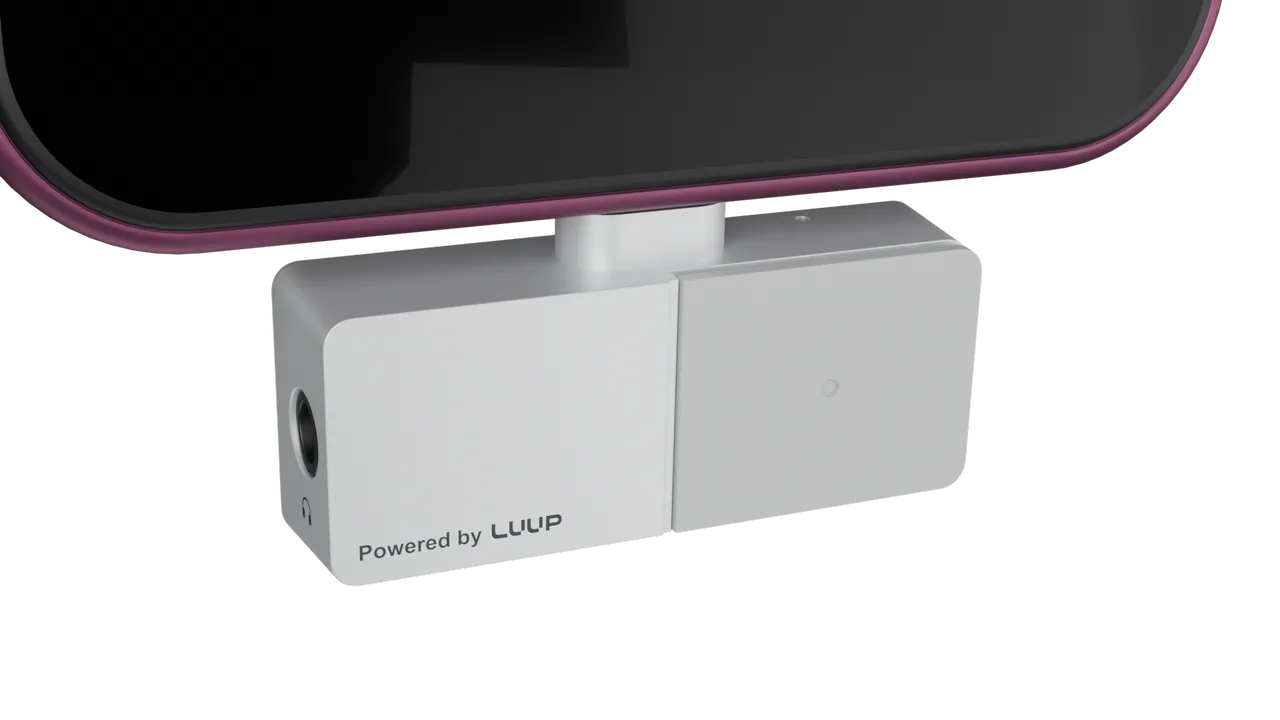
A USB-C recorder for Bluetooth and 3.5 mm headphones. No app or subscription needed to record.1
Luup Link updates only. Unsubscribe anytime. Privacy terms
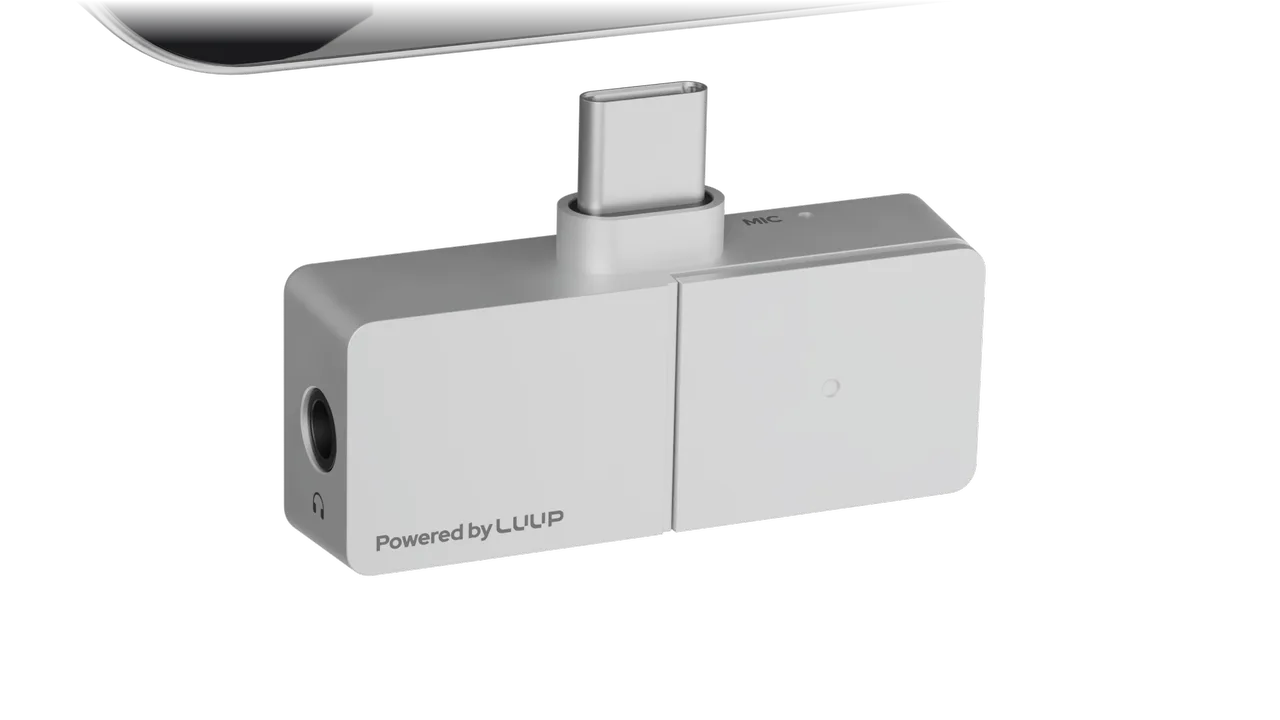
In the audio path.
Unlike magnetic recorders that pick up calls through your phone's vibrations, Luup Link records the audio signal between your phone and headset, exactly as you hear it.
Your phone
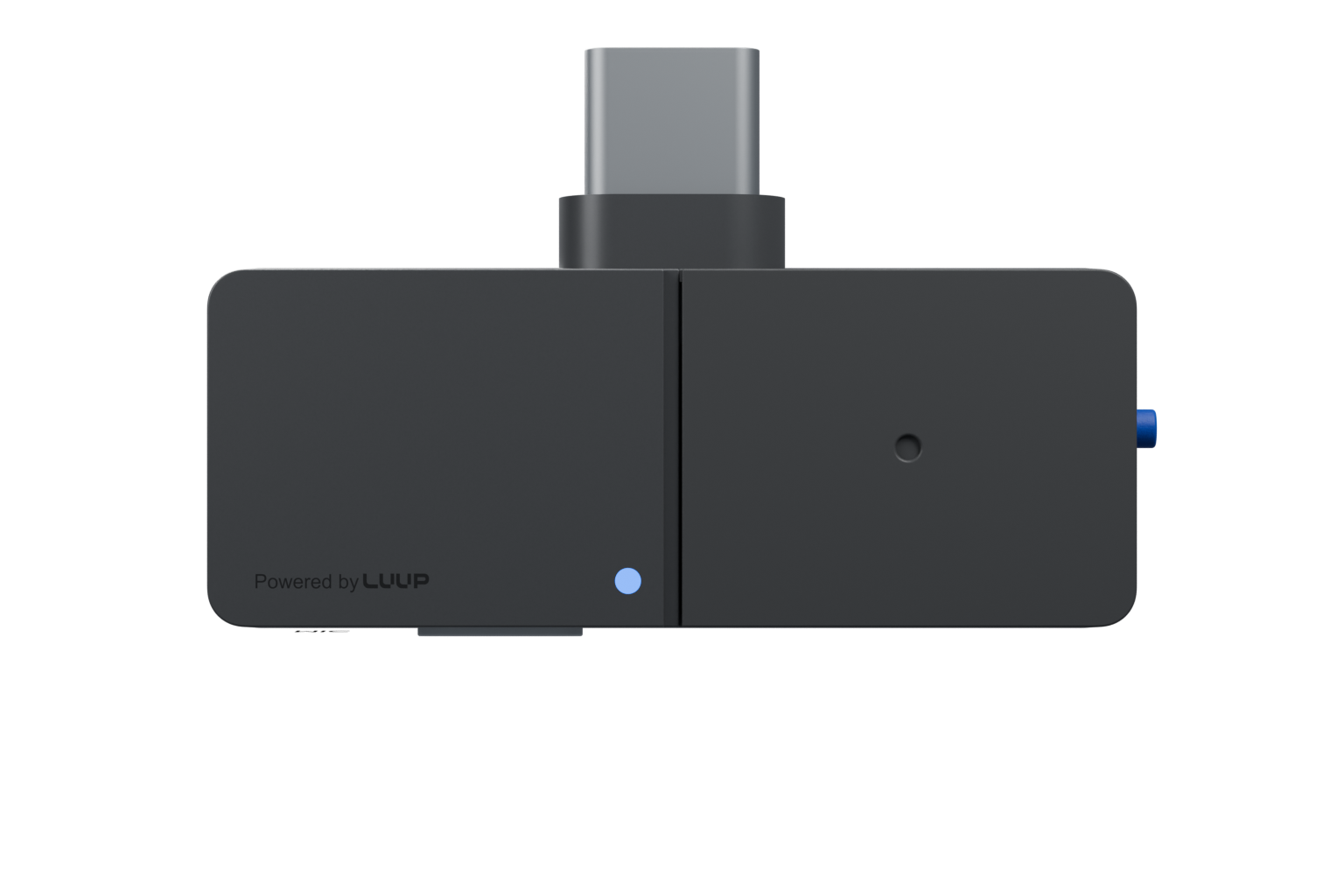
Luup Link
Your headphones
Bluetooth or WiredPristine inline recording, unaffected by case or environment
No magnet, no sticker, no puck. Frees up MagSafe for wallet and charging stand
Transform your favorite headphones to recording and AI gear
Three ways to record.
One switch for your files.
Bluetooth.
Pair your AirPods or Bluetooth headset with Luup Link. Record calls with one click.
- Pristine playback and recording audio quality
- Advanced codec supported3
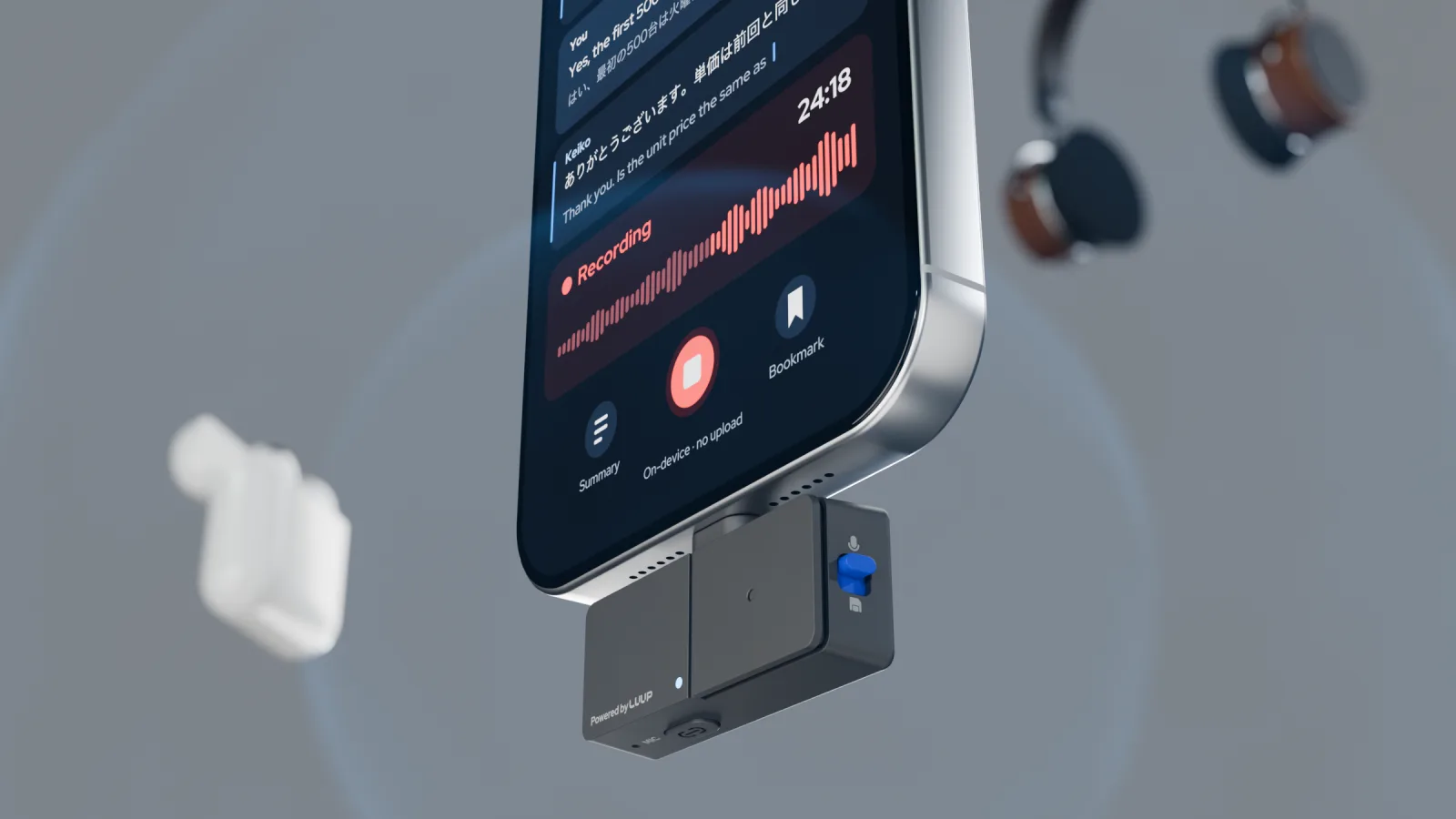
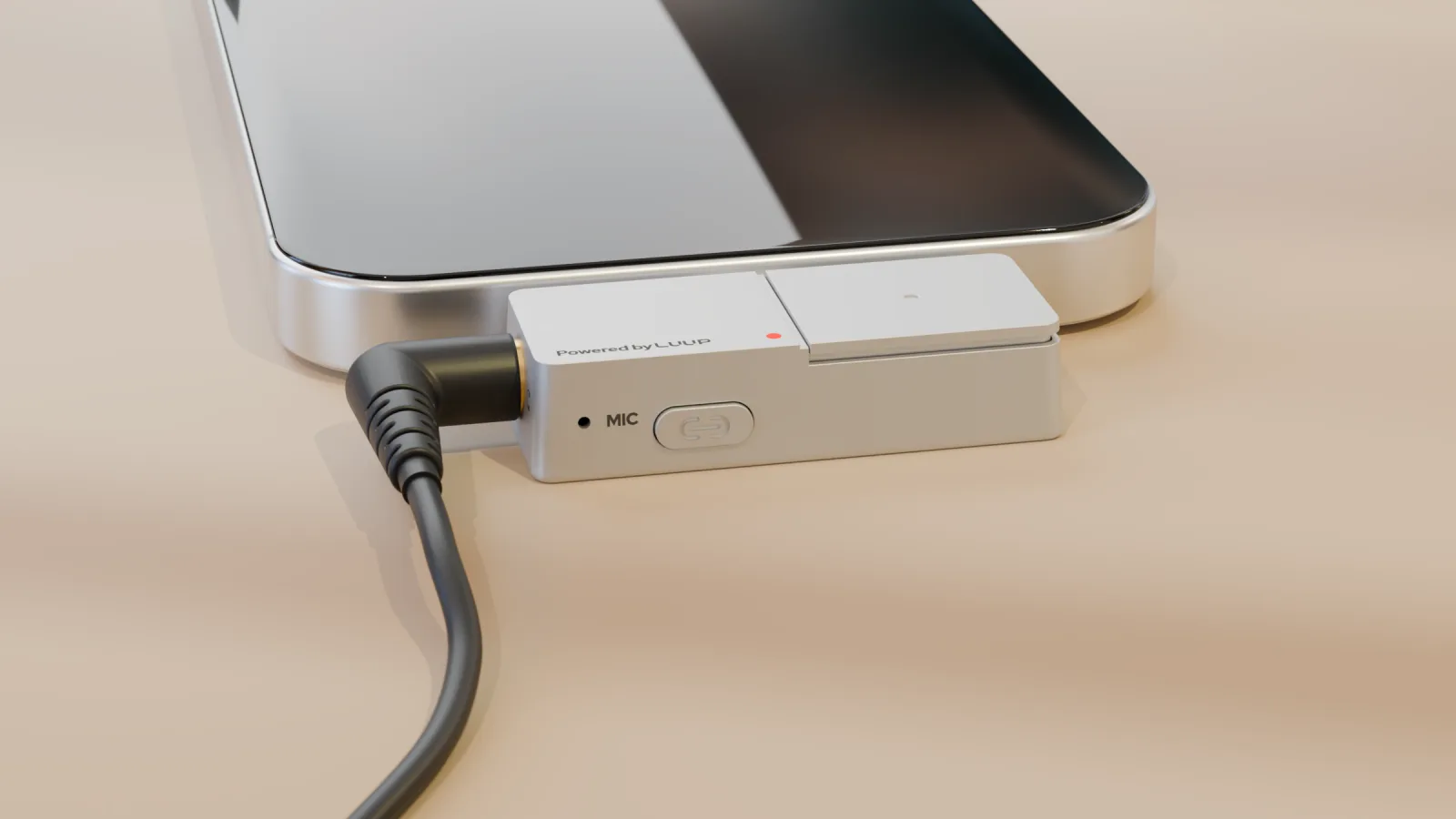
Your recordings are yours, never gate-kept.
Sensitive conversations. Local recordings. No required upload. You paid for the hardware, so you shouldn't need a monthly plan to reach your own audio.
- 01Offline capable
Record and access files completely offline, without an app. Optional Luup Link Companion App.1
- 02Local and online models
Transcribe, translate and summarize your recording with planned free local models or our online models.2
- 03Use your own AI
Because you can easily access your recording files, use your existing AI subscription for transcription and summary, subject to your provider's plan and charges.
Live AI assist during the call.2
Set your goal and context before the call. Get relevant suggestions in real time. Generate summary after it.
Set a goal.
Tell it what you need from the call, such as a refund date or a contract start.
Get the next line.
A live transcript, translation if you need it, and a suggested reply shaped by your goal.
Keep what was agreed.
Key points when the call ends, next to the original recording.
- Full rollout: no budget this quarter
- Smaller pilot proposed
- Start date: to confirm
Concept screens. Not a shipping product. The example conversation is illustrative.
Direct vs vibration
A direct audio connection. Your own headphones. Files you can reach yourself.
Swipe the table to compare →
| Feature |  Luup Link | Rear-mounted magnetic recorders |
|---|---|---|
| Call audio | Records directly in the audio path between phone and headphones. | Picks up vibration through the phone's backplate. Recording clarity varies widely with the phone case and environment. |
| Your headphones | Bluetooth or 3.5 mm wired headphones. | Handset only |
| Your files | Flip a switch. Open MP3 or OGG files directly over USB. | Often requires upload first and always with an app |
| Transfer speed | 10–100x Bluetooth speed with USB 2.0 | Slow with Bluetooth, finicky with Wi-Fi |
| App or subscription | None required to record or retrieve files, can use your own subscription | Hurdles to access raw files to keep you on their expensive plans |
| Charging | No battery, no degradation, one less thing to charge | Battery-powered models need separate charging. |
A comparison of recording approaches, not a test of every product. Performance and workflows vary by model, phone and case. Specific Luup Link host and headphone combinations are subject to compatibility testing.
Questions and answers.
Do I need consent to record a call?
Recording and consent laws vary by jurisdiction. Check the rules that apply to everyone on the call and obtain any required consent before recording.4 You will have the option to inject a voice announcing the recording with the Luup Link Companion App.
How much will Luup Link cost?
Pricing will be announced when the Kickstarter campaign launches. Subscribers get first access to the limited early-bird pledges.
When will it ship?
Estimated delivery dates will be published on the Kickstarter page at launch, along with our production plan.
Does it work with iPhone?
Yes, with iPhones that have a USB-C port (iPhone 15 and later). Older Lightning iPhones are not supported. Android phones, tablets and computers with USB-C are supported too.6
Does it record WhatsApp, Zoom or Teams calls?
Yes. Luup Link records the audio going to your headphones and coming from your mic, so it works with regular phone calls and with call apps like WhatsApp, Zoom, Teams and FaceTime. Some apps may need Luup Link selected as the audio device.
Will it drain my phone's battery?
Luup Link has no battery of its own. It draws a small amount of power from your phone, similar to a USB-C headphone adapter.
Do I need an app, account or subscription to record calls?
Recording and direct file access need no app, account or subscription. The Luup Link Companion App is optional and in development. Software availability and any pricing will be shared separately.
My wired headphones have no mic. Will that work?
Yes. You hear the call through your headphones, and Luup Link's internal mics pick up your voice.
Can I record hands-free without headphones?
Yes. Put the phone on speaker. Luup Link's internal mics record the call and the room.
Does the Luup Link Companion App support local AI?
That's the plan. You will have a choice of local and cloud models for transcription, translation and summarization. The live assist feature is cloud-only for now.
Do I have to use the Luup Link Companion App for transcription or summaries?
No. Direct file access lets you use an audio-compatible tool of your choice. Optional software and third-party service charges are separate from the app-free recording workflow.
Which phones and computers work with Luup Link?
Luup Link is designed for compatible USB-C phones, tablets and computers. Verified host device, operating system and storage access details will be shared before launch.
What file formats does it save?
Luup Link saves recordings in MP3 or OGG, the latter being extremely space efficient at same audio quality compared to MP3. They open in almost any phone, PC or transcription tool.
Kickstarter Launching Soon
Early-bird pledges are limited, and subscribers get first access. Sign up now so you don't miss the lowest launch price.
Subscribe for project updates and limited early-bird pricing. Unsubscribe anytime. Privacy terms